
How to read a device's management access posture
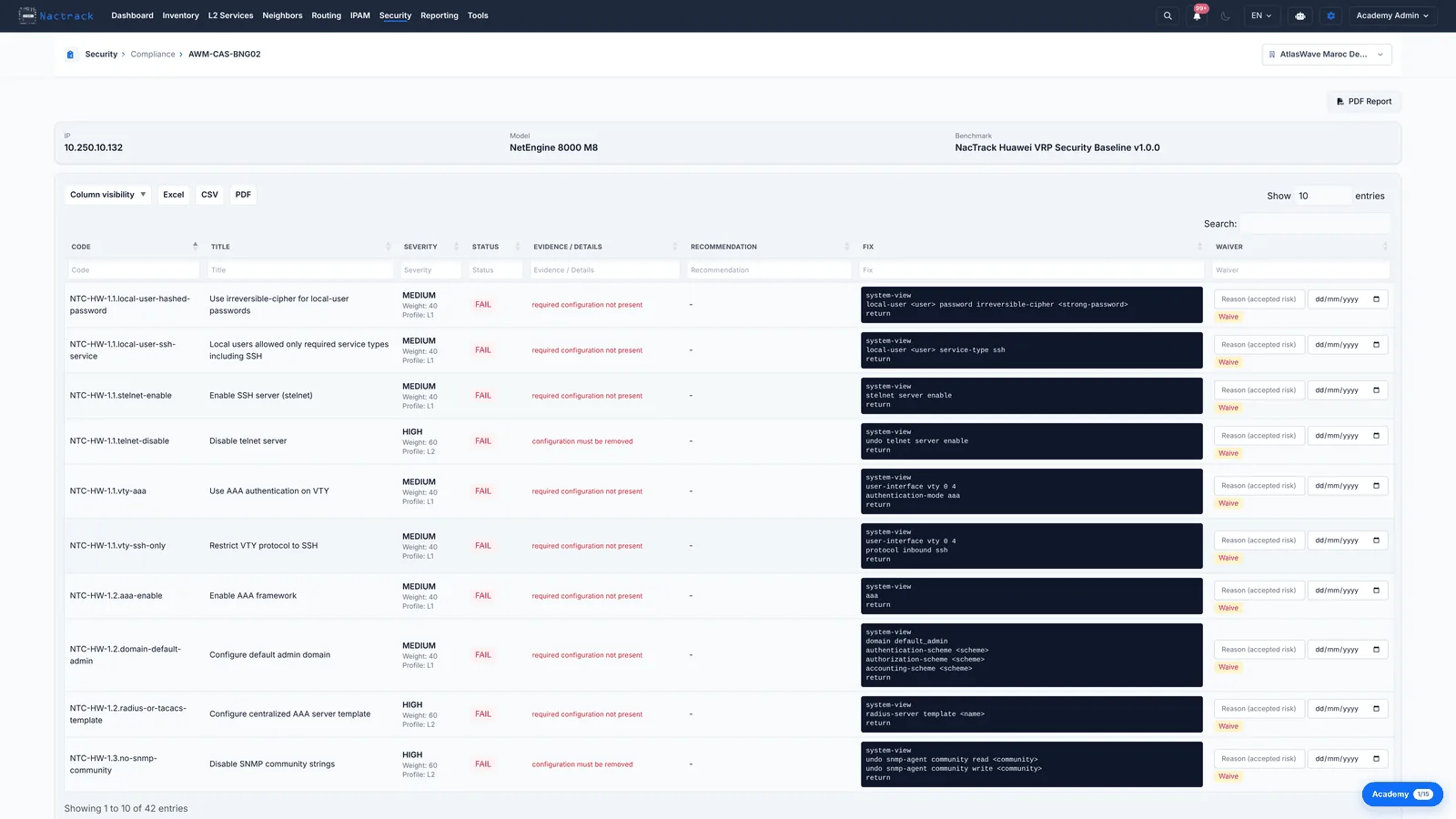
Management exposure is not one setting. It is the sum of which services answer, whether they are encrypted, whether they are confined to a management VRF, whether logging in is authenticated centrally, and whether an idle session ever closes. Read individually those checks look like housekeeping. Read together for one device they describe how someone would get in, and that is the reading worth learning.
What you need
- Licence module: compliance.
- Role permission: view compliance audits.
- All benchmarked platforms; check names and counts differ by vendor
1. Open the worst-scoring device
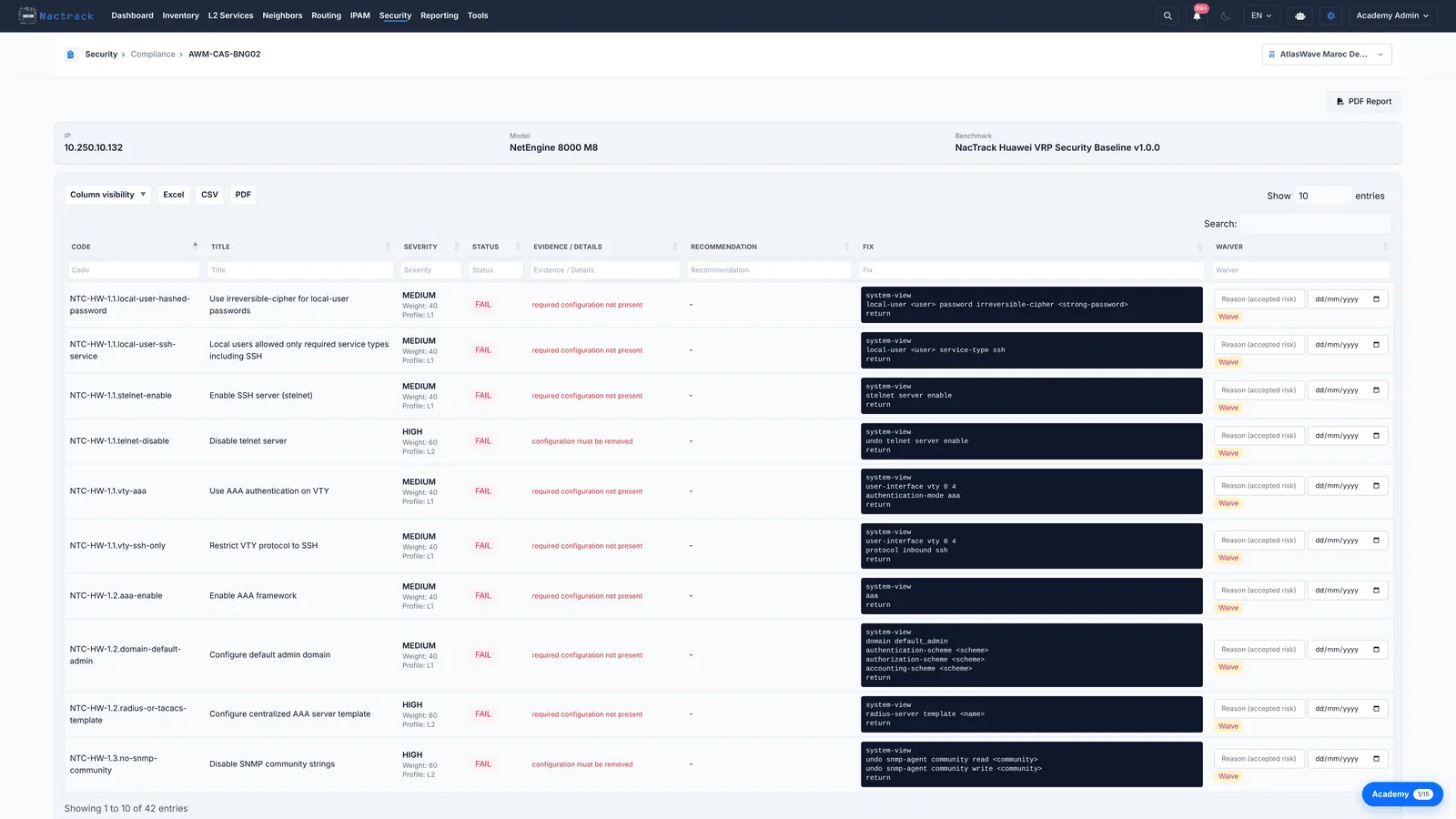
2. Read the checks together
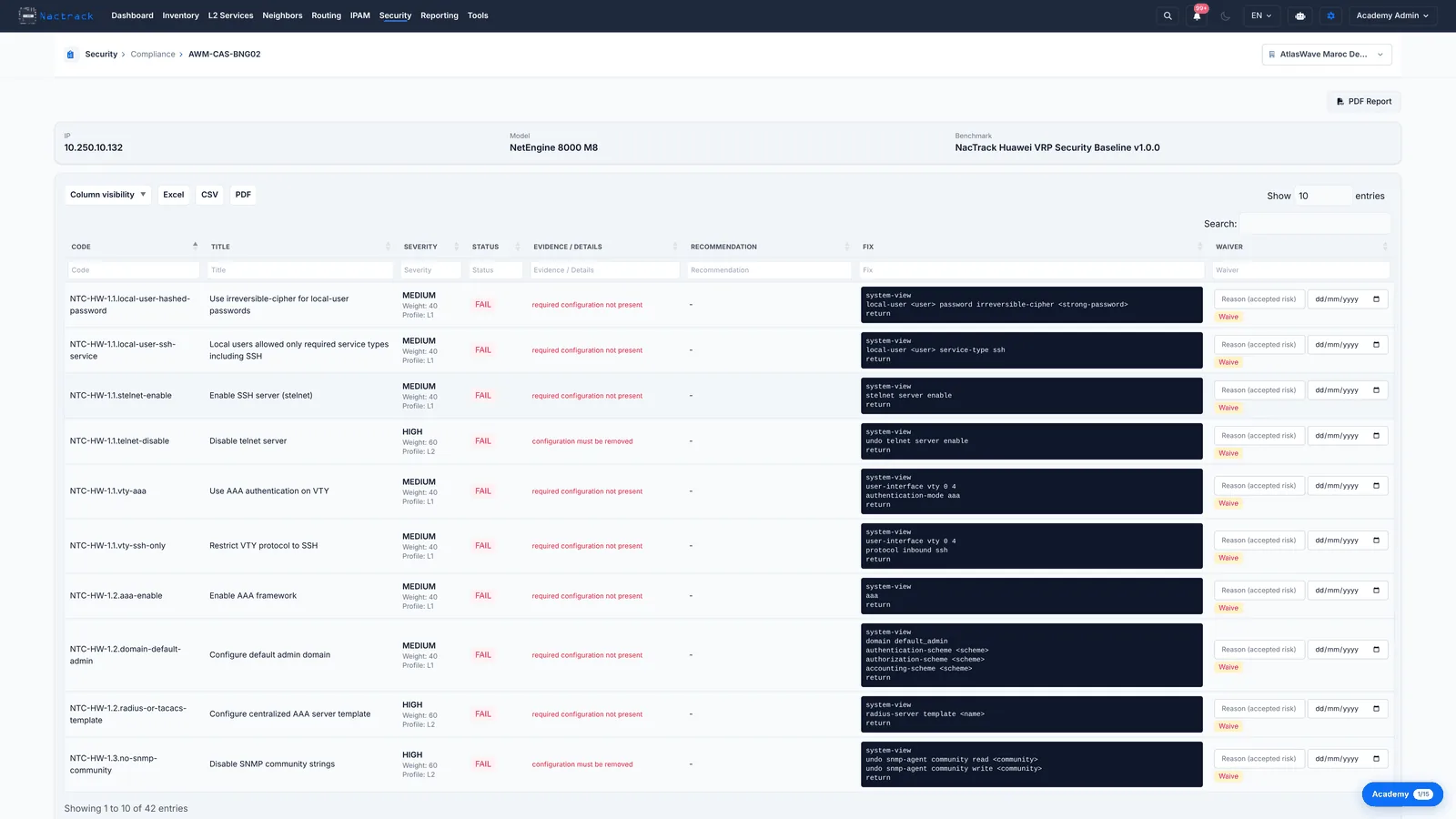
3. Follow it to the terminal lines
Further reading
Network configuration compliance, rule by rule
Named rules evaluated against each device's real configuration, with the extract that triggers each failure and the matching remediation.
How-to guideHow to check whether a device still allows Telnet
Telnet carries passwords in clear text. The devices still answering on port 23 are the ones nobody is watching, which is why they get missed.
How-to guideHow to find devices using default or version 1 and 2c SNMP communities
An SNMP community is a password in clear text, and v1 and v2c have nothing else. Find the devices still carrying public, private or no better.
How to tell whether a Cisco IOS XE version is affected by a CVE
Match a Cisco IOS XE release against Cisco advisories for every device at once, then check the configuration conditions the match cannot see.
Next guideHow to find the end-of-support date of a Cisco Catalyst 2960
Cisco 2960 end-of-support dates by family: 2960-Plus and 2960-L support ended 31 Oct 2026, 2960-X/XR end Oct 2027, 2960-CX 2029. From Cisco's notices.