
Let the devices draw the topology
Every device already reports its neighbours over CDP and LLDP. NacTrack asks all of them and reassembles the graph, on every collection.
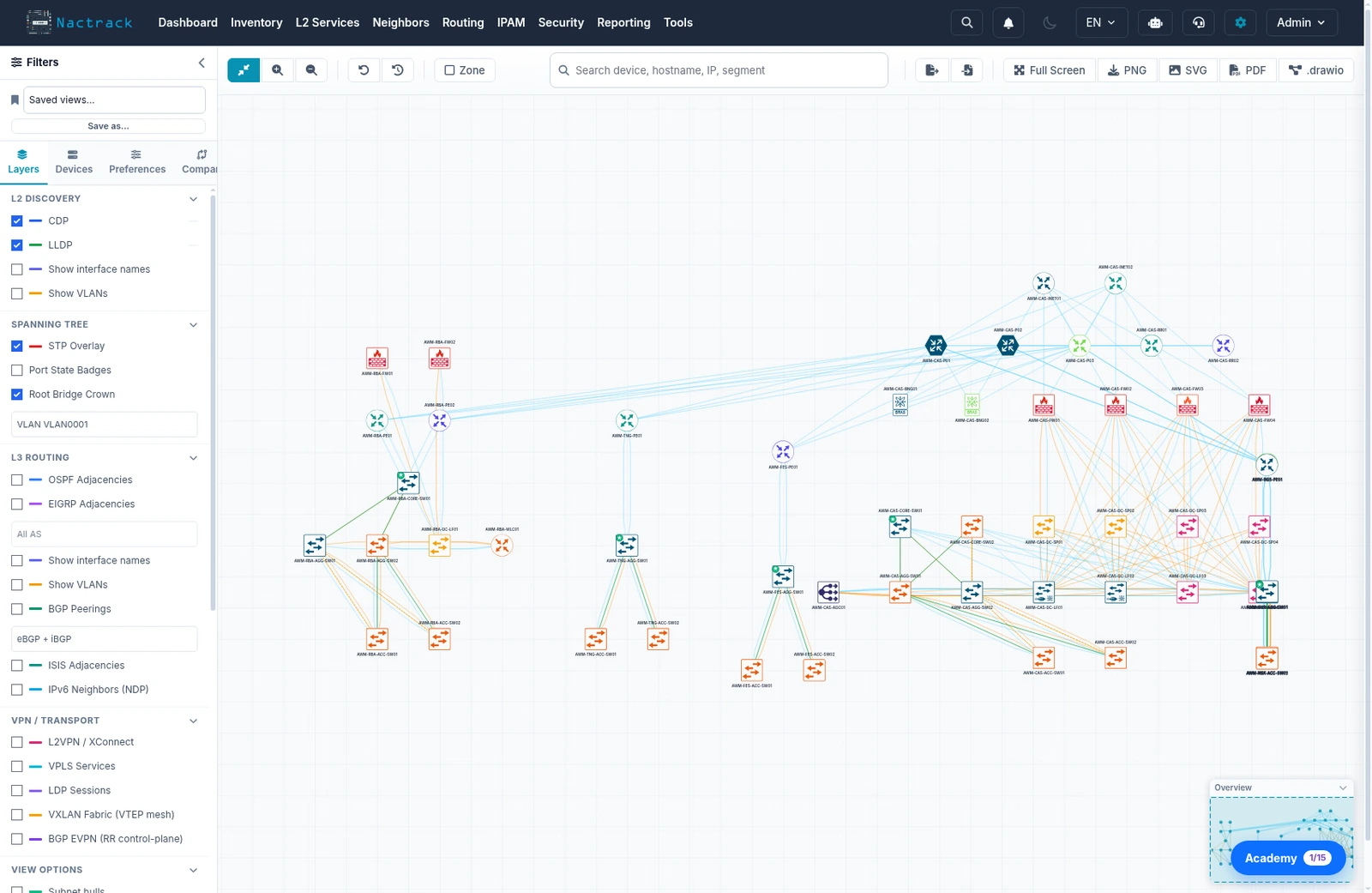
Nobody placed these devices
Fifty eight devices and one hundred and twenty seven adjacencies, read off the demonstration estate. The positions are not drawn: each device names its neighbours, and the shape that appears is the one those adjacencies impose.
By site
- Casablanca29 devices
- Rabat11 devices
- Agadir4 devices
- Fes4 devices
- Marrakech4 devices
- Tangier4 devices
- Oujda2 devices
A dot's size is its number of adjacencies. Cores rise, access settles, and the rest places itself. It is the same data the product's canvas draws, without a human's layout.
Why a reported topology beats a diagram
- A diagram is accurate on the day it is delivered. A link moved on a Saturday night does not update it.
- LLDP and CDP make each device declare what it sees on each of its ports, continuously.
- Collected across the estate and cross referenced, those declarations give the real graph: link speeds and exact interfaces.
- The graph answers questions that span several devices: how traffic gets between two sites, whether this link is the only path, whether this VLAN is continuous end to end.
- Every collection rebuilds the graph. There is nothing to update by hand.
What the canvas can draw, layer by layer
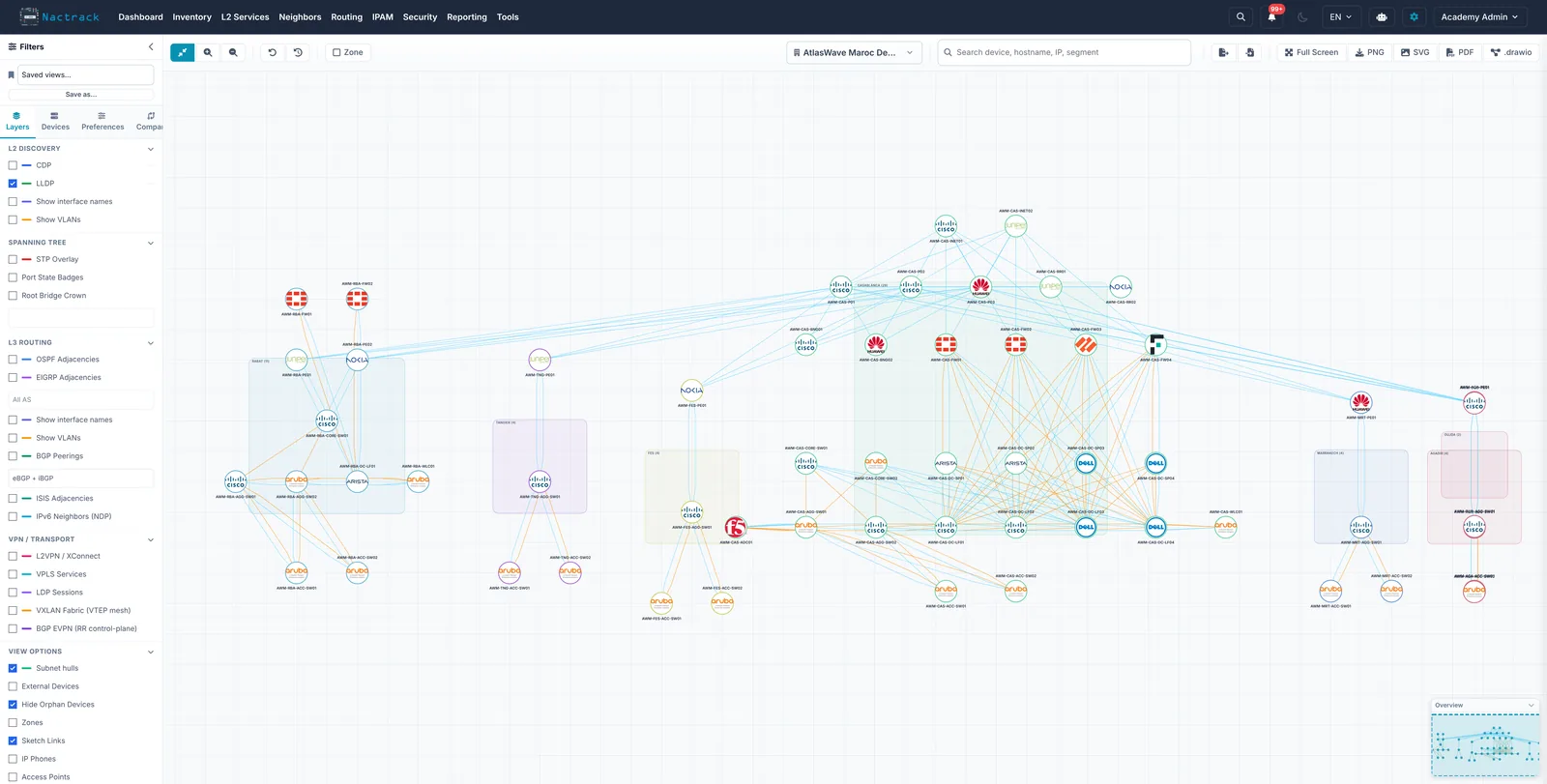
One graph, and each layer switches on or off over it. These are the layers as they exist in the product, not a selection.
| Family | Layers | What it adds to the graph |
|---|---|---|
| L2 discovery | CDPLLDPInterface namesVLANs | The base graph: every device declares its neighbours port by port. The two protocols stay separate, because a link seen by only one of them tells a different story from a link seen by both. |
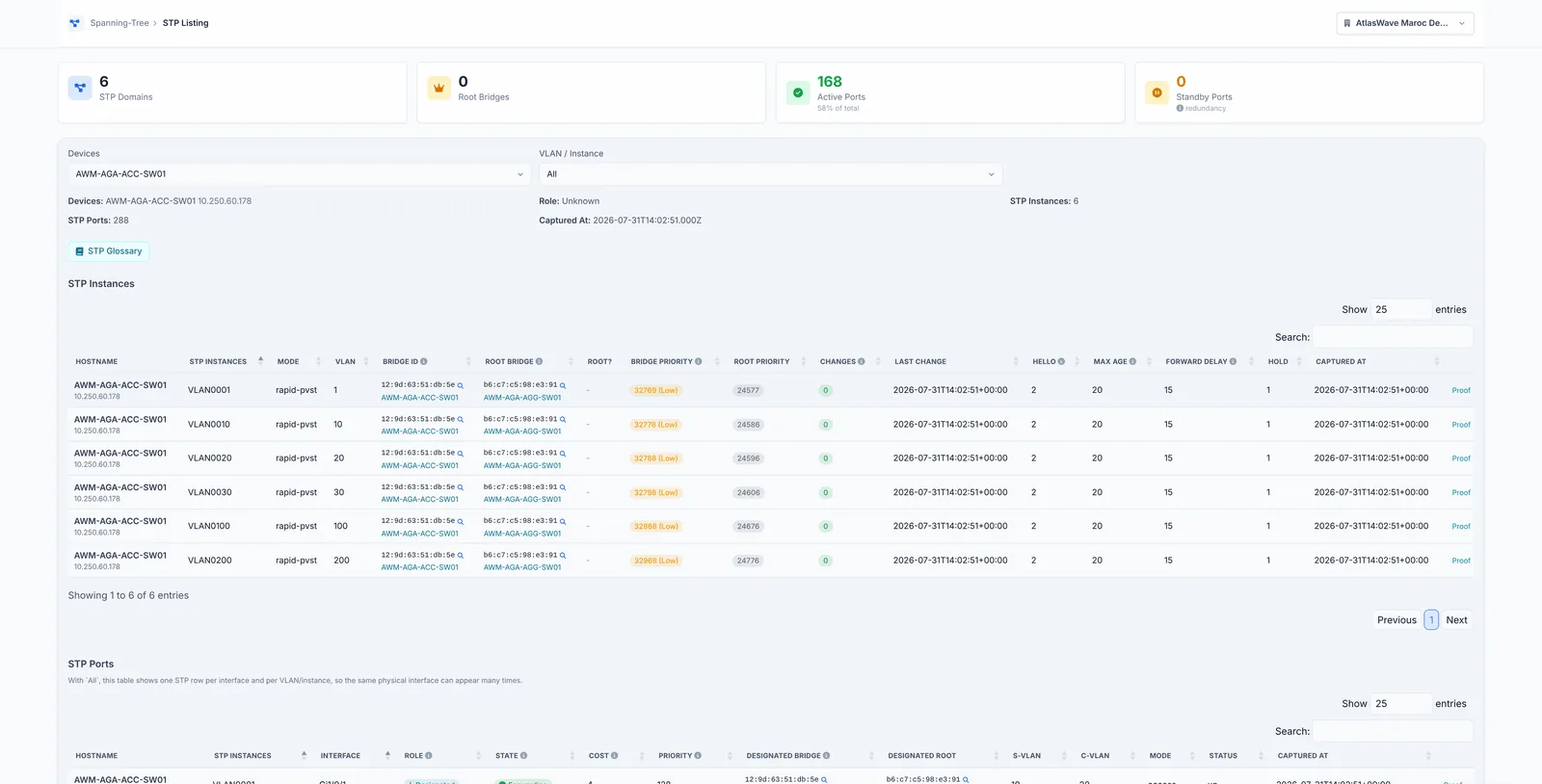
| Spanning tree | STP overlayPort state badgesRoot bridge crownPer instance | The tree drawn over the physical graph: which port blocks, which port forwards, and where the root sits. The instance selector shows that the tree is not the same from one VLAN to the next. |
| L3 routing | OSPFEIGRPBGPIS-ISIPv6 NDP | The protocol adjacencies, which do not follow the cables. BGP filters to eBGP, iBGP or both, and by AS number, because a full iBGP mesh covers everything else if you let it draw all of it. |
| VPN and transport | L2VPN / XConnectVPLS servicesLDP sessionsVXLAN (VTEP mesh)BGP EVPNVPN tunnels | The services carried over the network, on the same drawing as the network carrying them. This is where you see a service crossing a device nobody was watching. |
| Reading | Subnet hullsZonesExternal devicesHide orphansIP phonesAccess pointsIcons by type or by vendor | What makes a whole estate legible: subnet groupings, hand named zones, and the device categories you want out of the drawing or into it. |
| Change | New linksLost linksProtocol coloursCompare | Two collections laid over each other. A link that appeared and a link that vanished are not the same news, and the graph tells them apart instead of simply redrawing itself. |
What the topology cannot tell you
A neighbour that announces neither LLDP nor CDP does not appear as a neighbour. That covers some firewalls, unmanaged hardware, and links crossing a third party carrier. The link exists, the declaration does not.
The topology describes the state at the last collection. A link that has gone down since does not show as down: your monitoring says that.
- LLDP and CDP neighbours across the estate
- Layer 2 and layer 3, per VRF
- Link speed and exact interfaces
- End to end VLAN continuity
- Image export for a dossier