
Compliance
Your configurations checked against hardening baselines, device by device, rule by rule.
At a glance
- WhereSecurity, then Compliance.
- AccessCompliance module, audit permission; running and waiving need the run audit permission.
- DataThe collected configurations. A device with no configuration is skipped.
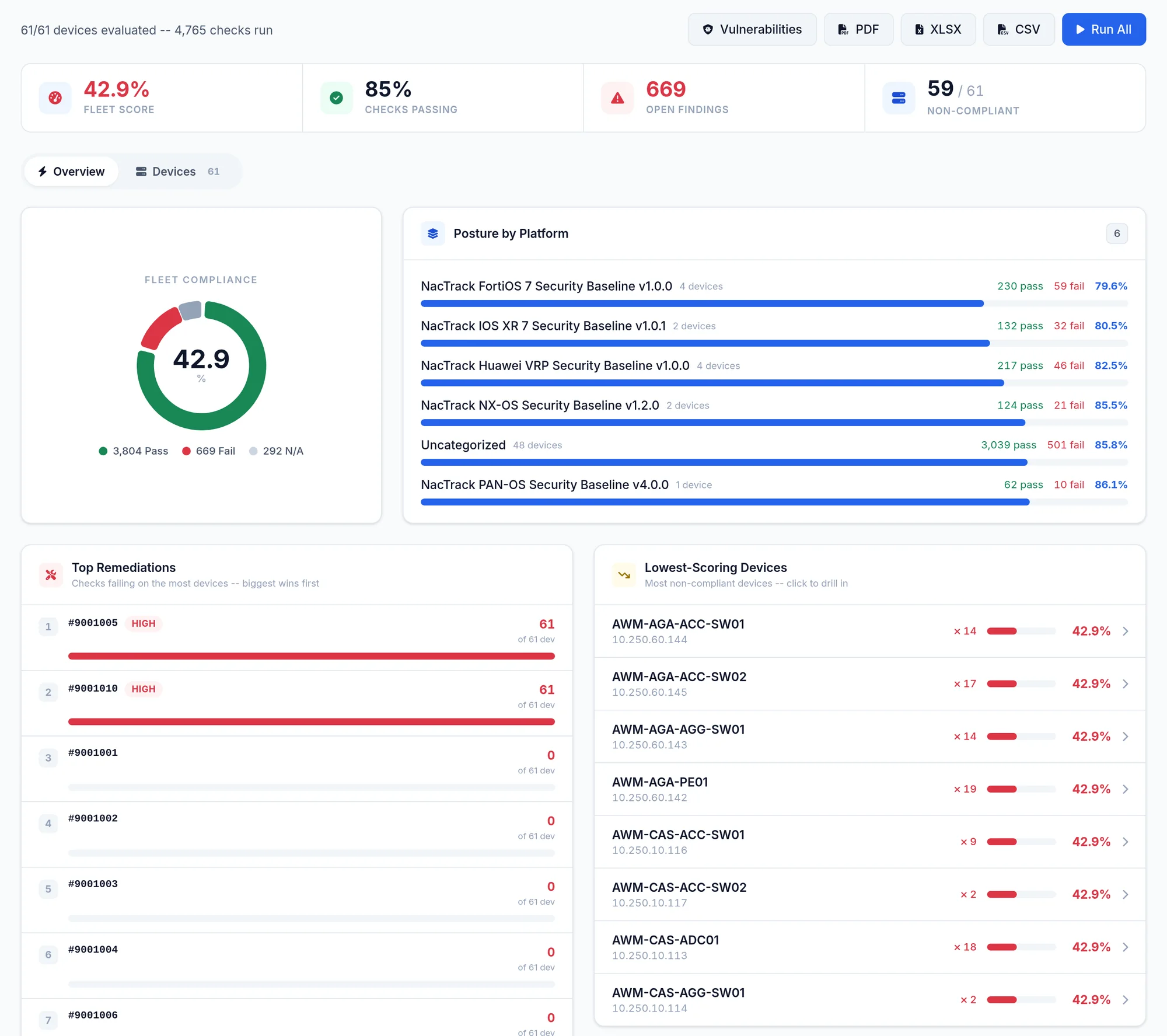
What the screen shows
What you can do
- 1
Evaluate
Click Run All. Evaluation is queued, one device at a time; the message says how many are queued and how many are skipped.
A collection does not evaluate compliance: run Run All again after each significant collection.
- 2
Read one device
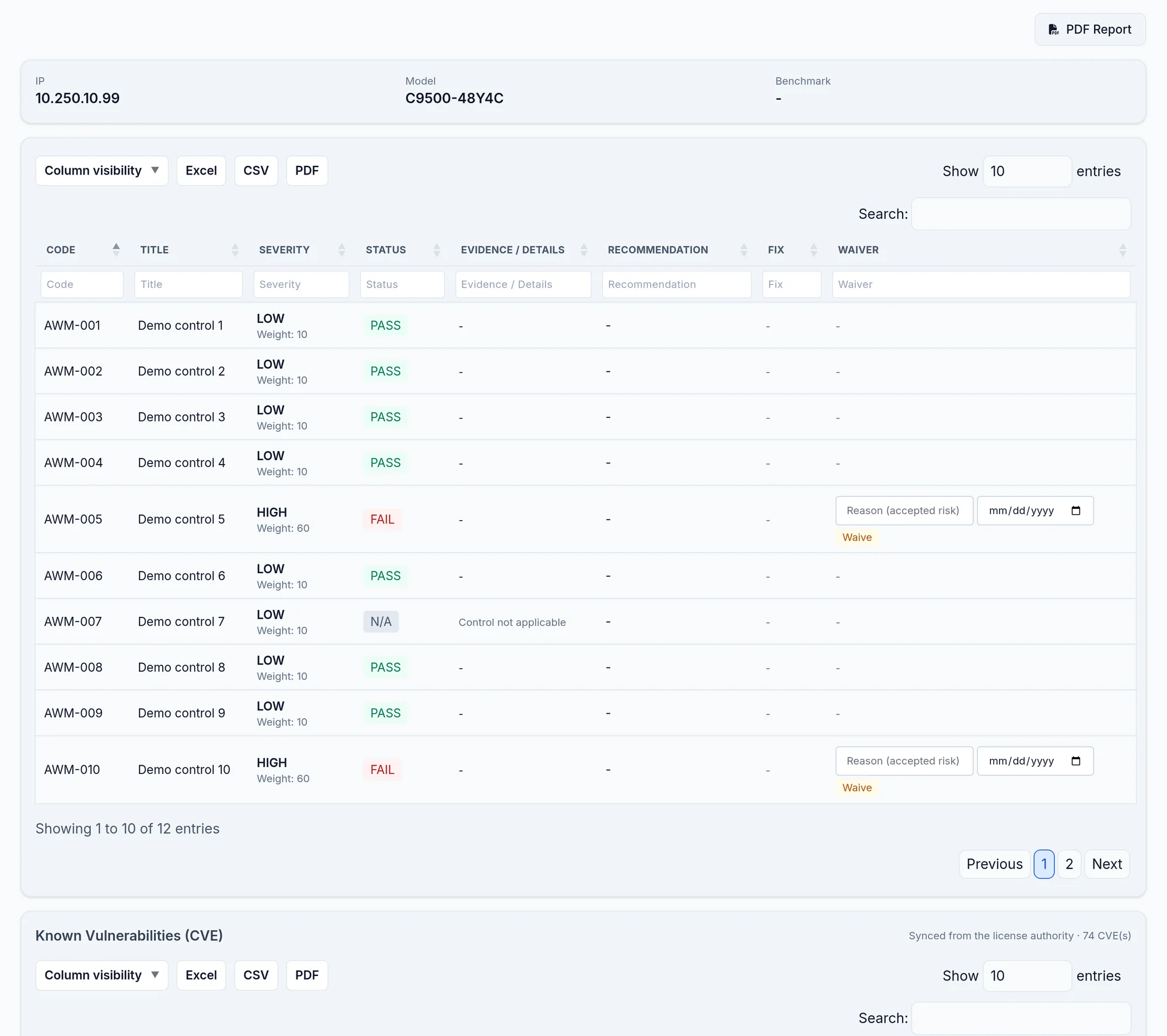
Click a device: each check with its code, severity, status, evidence, recommendation and, when it fails, the fix commands.
- 3
Waive
Waive on a check, with a required reason and an optional expiry date; Un-waive removes it.
- 4
Export
PDF, XLSX or CSV for the estate, PDF Report for one device.
Limits and things to know
Which baseline is applied?
It is chosen per platform from the configuration. Run All applies the default profile, level 2.
Scheduled evaluation
A weekly evaluation exists but is off by default; it is enabled server side.
Read next
Compliance and CVE
Compliance is not evaluated on its own after a collection, and CVE and end of life come from our service: how to get these three results.
How-to guideHow to audit switch hardening: the checklist
A switch hardening checklist by plane, from Cisco's IOS hardening guide, and how to check it against every collected configuration with the evidence.
How-to guideHow to check whether a device still allows Telnet
Telnet carries passwords in clear text. The devices still answering on port 23 are the ones nobody is watching, which is why they get missed.