
How to find which switch and port a MAC address is on
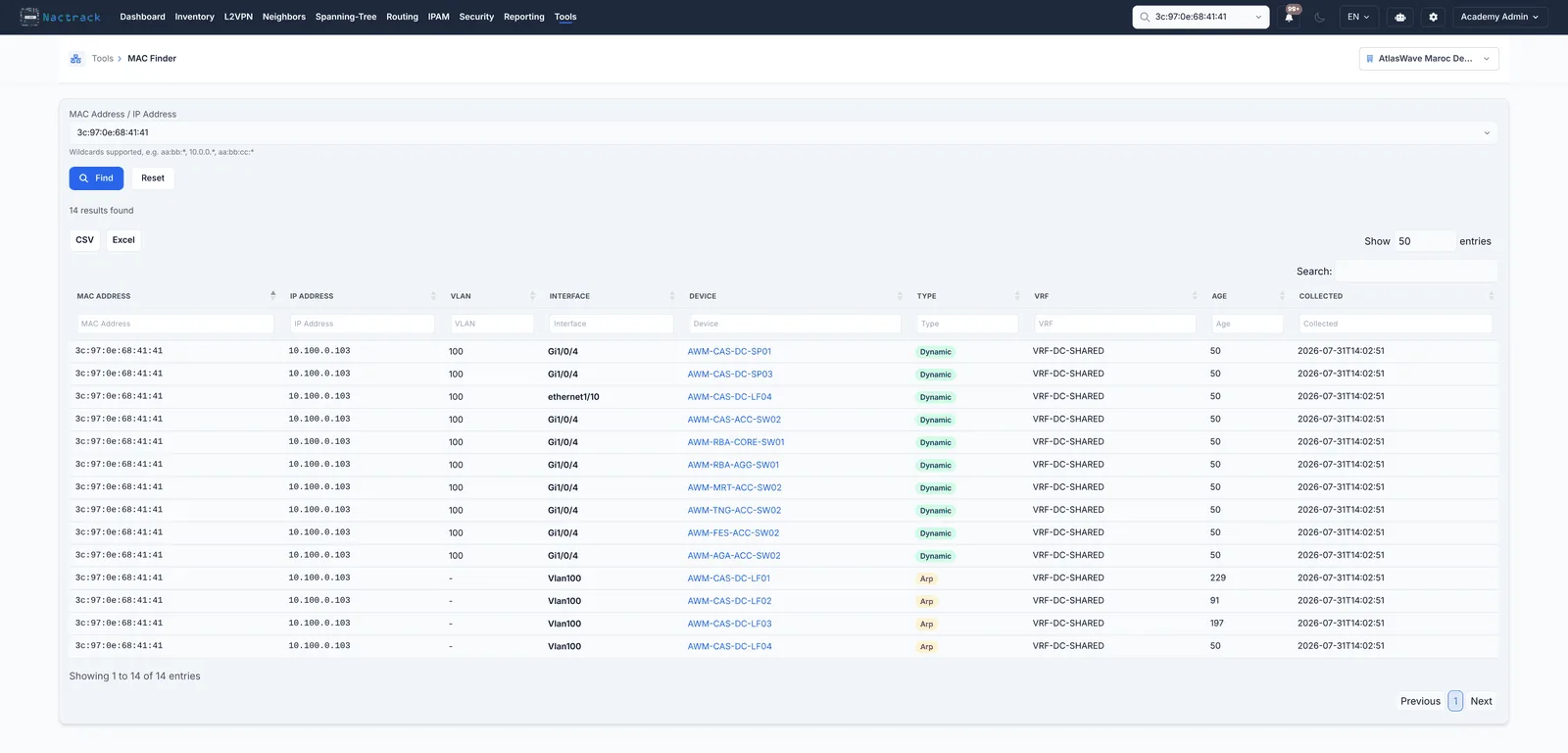
To find which switch port a MAC address is on, search every switch's MAC table, then follow the uplinks when the address is learned on a trunk. A user reports a problem and all you have is a MAC address. MAC Finder searches every MAC table collected across the estate at once and tells you the device, the interface and the VLAN it was learned on. It reads the last collection, not the live switch, so the answer is as recent as your last collect round.
What you need
- Licence module: core, included in every licence.
- Role permission: use the tools.
- Every collected platform.
1. Open the Tools menu
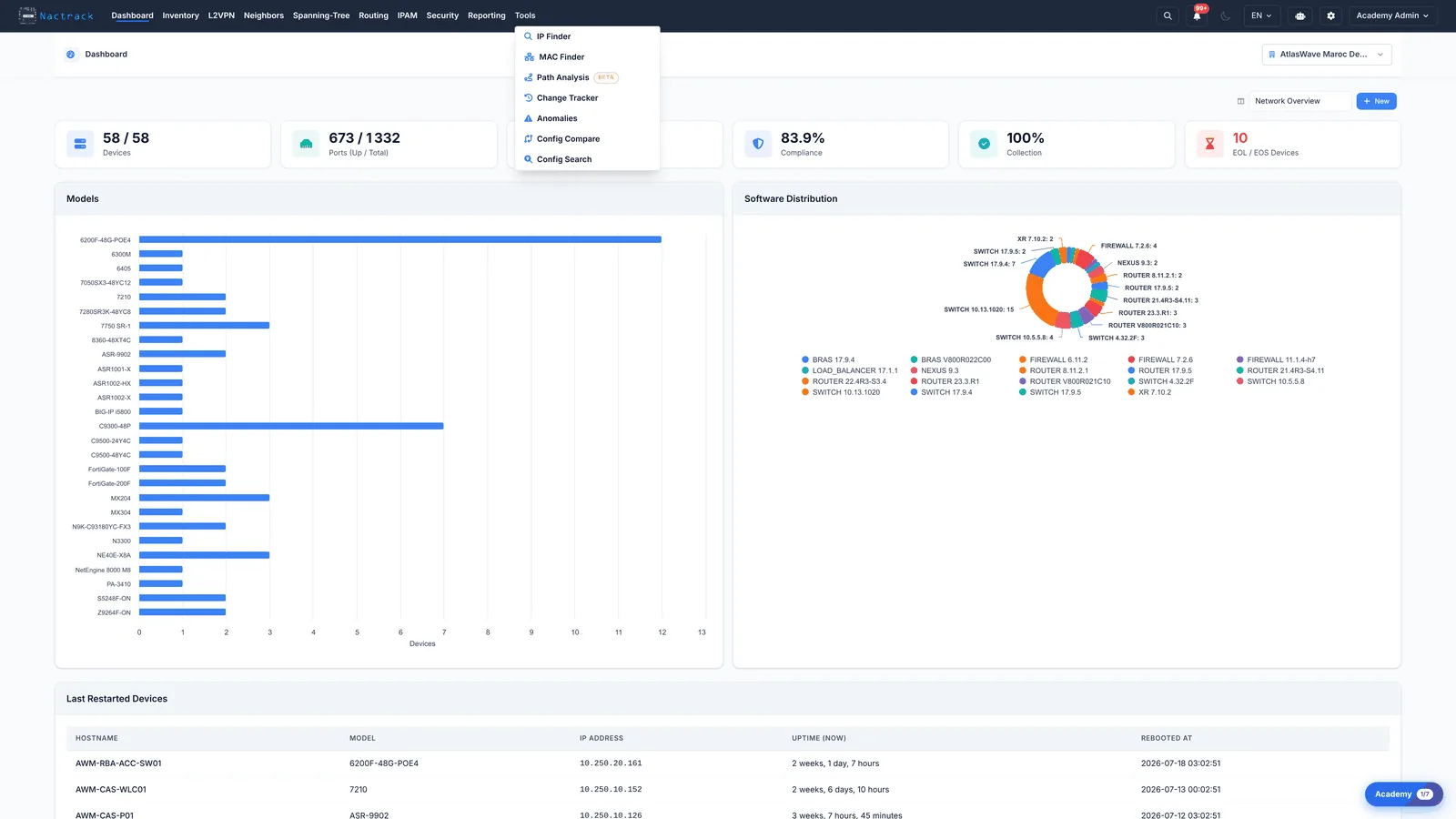
2. Choose MAC Finder

3. Type the MAC address

4. Read the results
Further reading
Network device inventory: models, serials, free ports
Models, software versions, serial numbers, used and free ports, across a heterogeneous estate. Collected over SSH, with no agent and no manual entry.
How-to guideHow to search with a partial MAC address to find every device from one manufacturer
The first three bytes of a MAC identify the manufacturer. Search on that prefix and MAC Finder becomes an inventory of one vendor's devices.
How-to guideHow to find where an IP address lives on the network
Give IP Finder an address and it searches every collected source, ARP tables, inventory and neighbours, then says which device holds it.
How to find out what changed on the network between two collections
Compare two collections and see exactly what moved, on which device and on which line, when nobody is admitting they touched anything.
Next guideHow to find where an IP address lives on the network
Give IP Finder an address and it searches every collected source, ARP tables, inventory and neighbours, then says which device holds it.