
Tools
Everyday questions: where is this address, which way does this traffic go, what changed.
At a glance
- WhereTools menu.
- AccessCore module and troubleshooting permission; path analysis also needs the traceroute one.
- DataThe collected tables: interfaces, ARP, MAC, neighbours and routes.
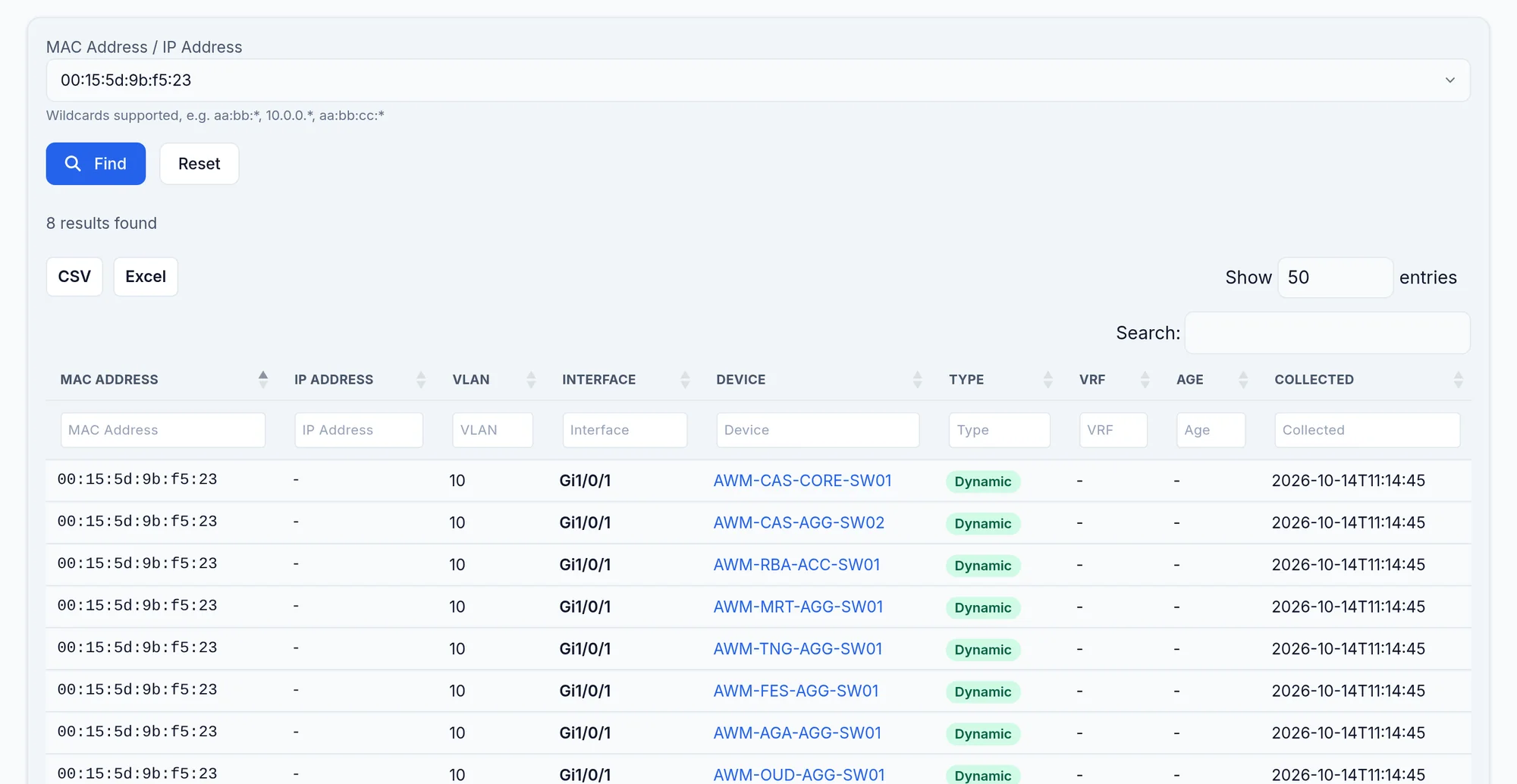
What the screen shows
What you can do
- 1
Find an endpoint
MAC Finder, paste the address, read the port and VLAN.
- 2
Compare two configurations
Config Compare: pick the device, snapshot A and snapshot B, the commands to compare, tick Show only changes.
Limits and things to know
No vendor lookup by MAC
MAC Finder does not give the network card's maker.
Read next
How to find which switch and port a MAC address is on
A user reports a problem and all you have is a MAC address. Search every MAC table at once and get the device, the interface and the VLAN.
How-to guideHow to find where an IP address lives on the network
Give IP Finder an address and it searches every collected source, ARP tables, inventory and neighbours, then says which device holds it.
How-to guideHow to find out what changed on the network between two collections
Compare two collections and see exactly what moved, on which device and on which line, when nobody is admitting they touched anything.
How-to guideHow to tell whether an IP belongs to a user device or to network equipment
IP Finder heads each block of results with the source that matched, and that heading tells you whether the address is an endpoint or a device.