
The multi layer topology
One drawing, layers you turn on and off, built from what your devices say about their neighbours.
At a glance
- WhereInventory, then Multi-Layer Topology.
- AccessNeighbors module and the permission to view topology.
- DataCDP and LLDP for links, routing and transport protocols for their layers.
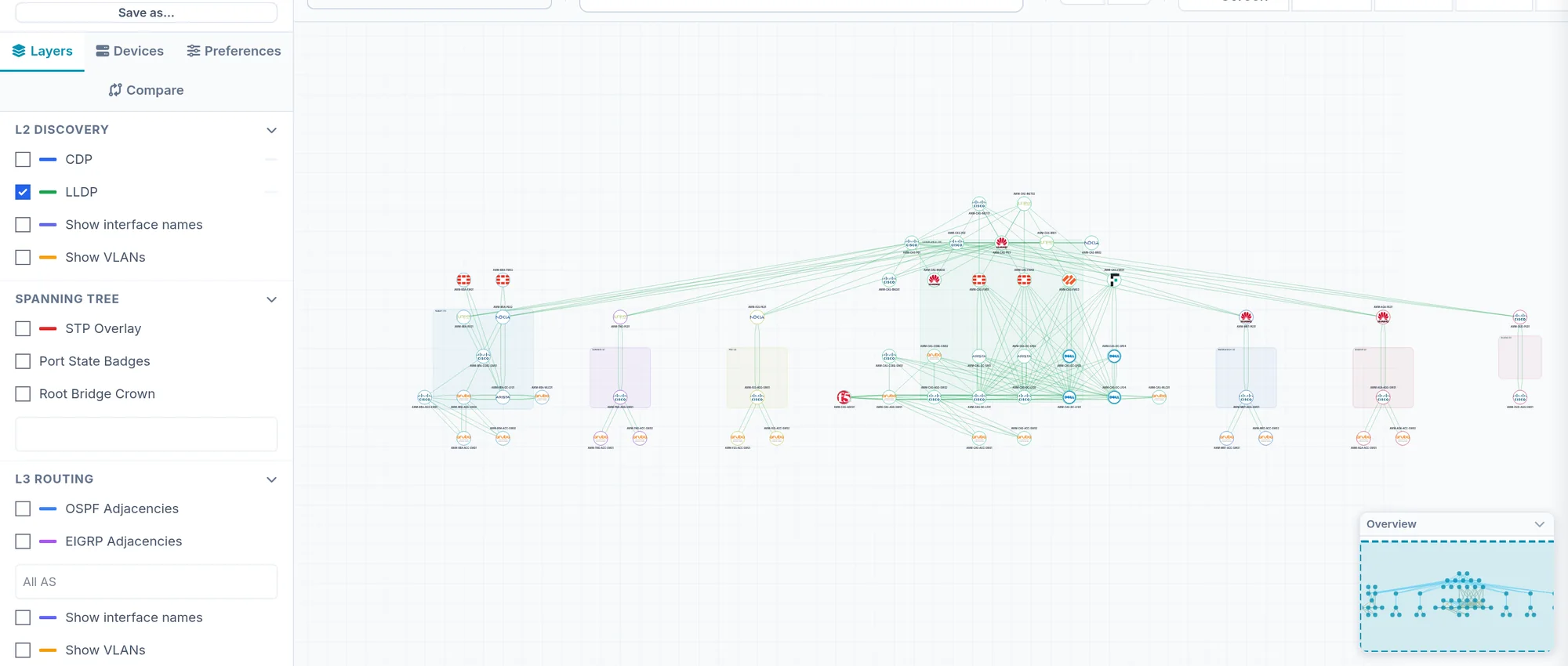
What the screen shows
What you can do
- 1
Save a view
Save as keeps the layers and filters. A view over all devices is shared; a view pinned to some devices stays with the active tenant. Built-in views cannot be edited.
- 2
Arrange the drawing
Move nodes: positions are kept server side, with a history; Reset starts over. Positions and zones export and import as a file.
- 3
Export
PNG, SVG, PDF or .drawio from the toolbar.
Limits and things to know
A device shows without links
Links come from CDP and LLDP. A device that does not run them has no neighbours; collect its neighbours too.
The other topologies
Neighbors Topology and the L2 Services point to point topology are BETA pages. Each protocol page also has a Topology tab filtered to its layer.
Read next
Neighbors
The neighbour tables per protocol, what each column says, the filters, and why the menu can be missing on an estate with only OSPF.
How-to guideHow to get a network diagram from CDP and LLDP
Build a layer 2 network diagram from the CDP and LLDP tables of every device, export it to PNG, SVG, PDF or drawio, and know what it cannot see.
How-to guideHow to find which switch is root bridge for each VLAN
If the root bridge is not where you designed it, traffic takes a path you did not choose. Read the root for every switch and every VLAN.