
At a glance
- WhereNeighbors menu.
- AccessNeighbors module and a permission per protocol.
- DataOne entry per protocol present in the collected data.
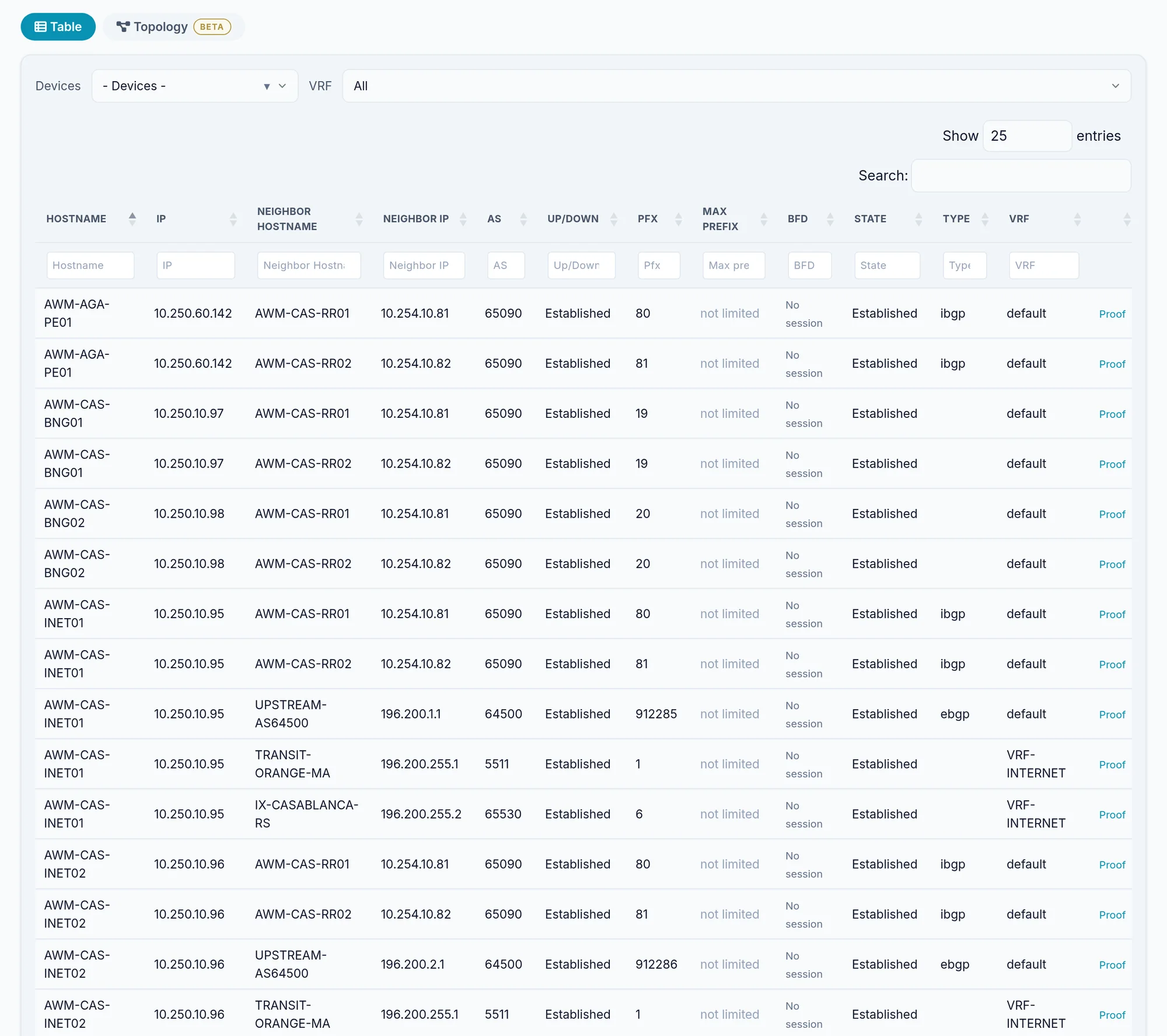
What the screen shows
What you can do
- 1
Filter
Each page has a device selector; BGP and OSPF add the VRF.
- 2
See it as a topology
Each page's Topology tab draws the matching layer.
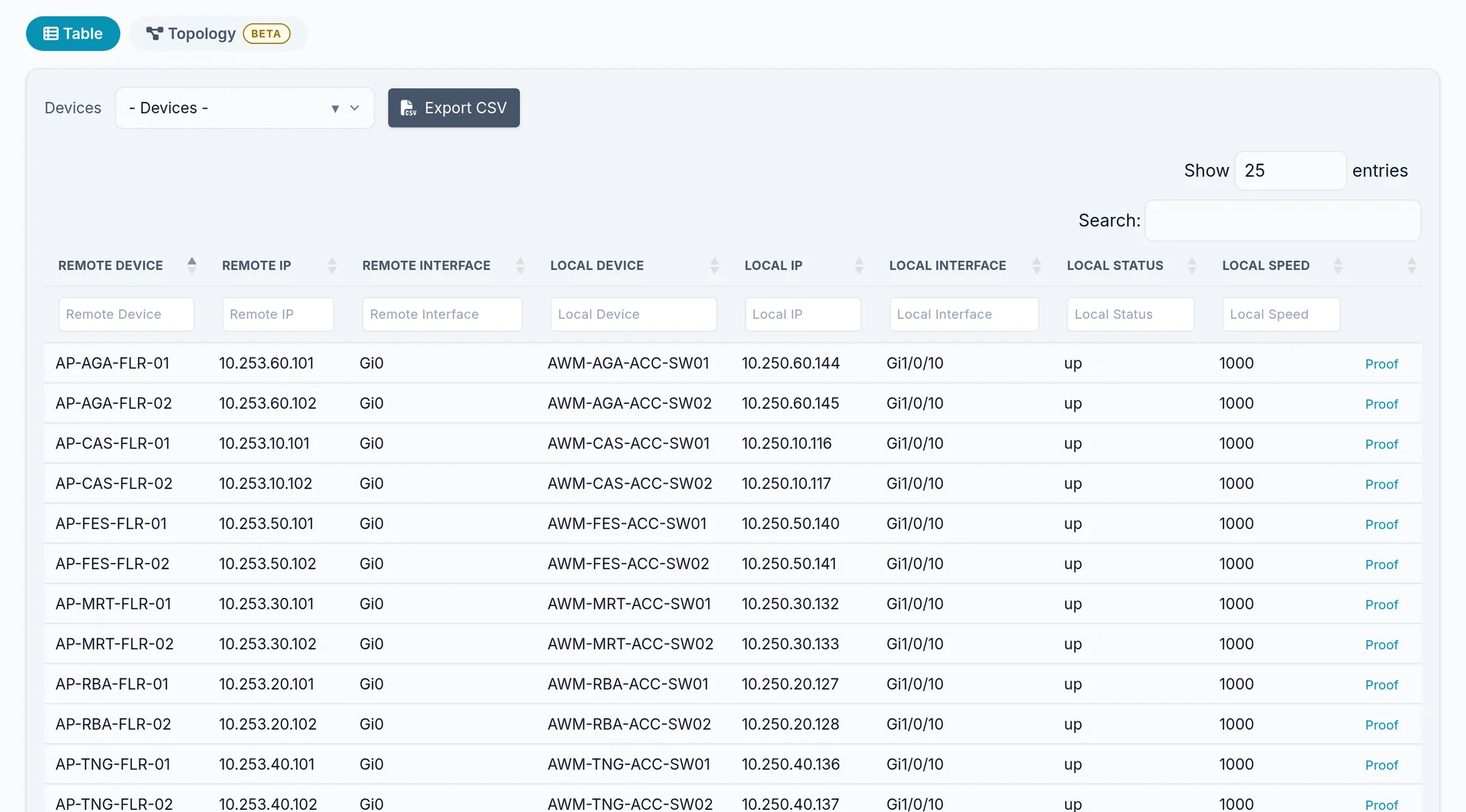
Limits and things to know
The Neighbors menu does not appear
It only counts CDP, LLDP, IS-IS, BGP, NDP and EVPN. An estate with only OSPF or EIGRP gets no Neighbors menu: go through Routing.
MPLS LDP
It sits under L2 Services, as LDP.
Read next
Manual
Topology
Draw the network as the devices describe it: L2, spanning tree, routing, VPN and transport layers, filters, saved views and exports.
ManualRouting
The collected static and dynamic routes, the advertised BGP routes, IGP analysis and the transit and peering page, with their filters.
How-to guideHow to get a network diagram from CDP and LLDP
Build a layer 2 network diagram from the CDP and LLDP tables of every device, export it to PNG, SVG, PDF or drawio, and know what it cannot see.