
Ports, health and licences
What interfaces and chassis say: state, traffic, optics, load, licences.
At a glance
- WhereInventory, then Ports, Device health, Device licences.
- AccessInventory read access. SNMP supervision needs the SNMP module.
- DataPorts after a collection; Health and Licences when devices report their hardware modules.
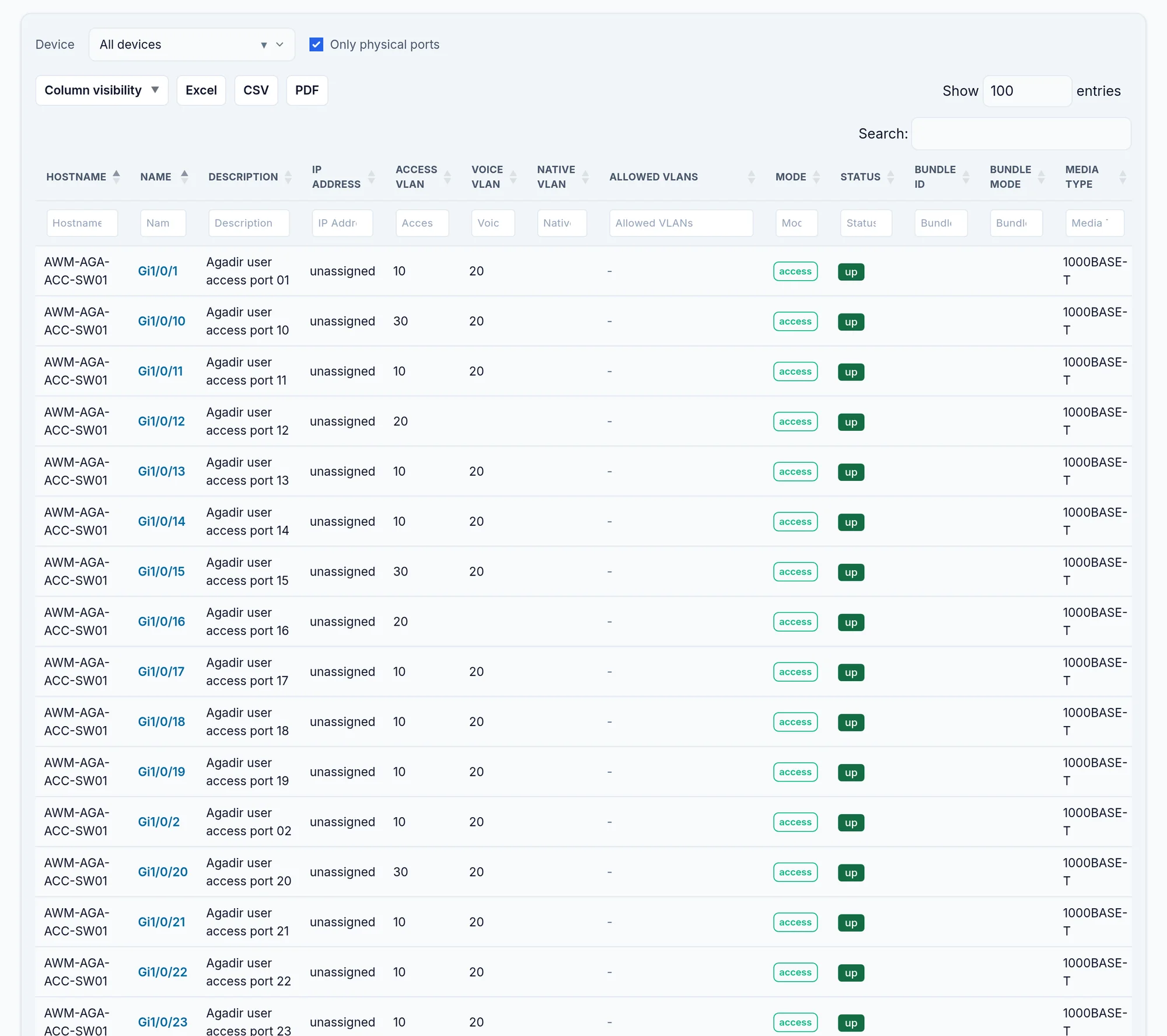
What the screen shows
What you can do
- 1
Export the ports
Excel, CSV or PDF export every filtered row, up to 10,000.
- 2
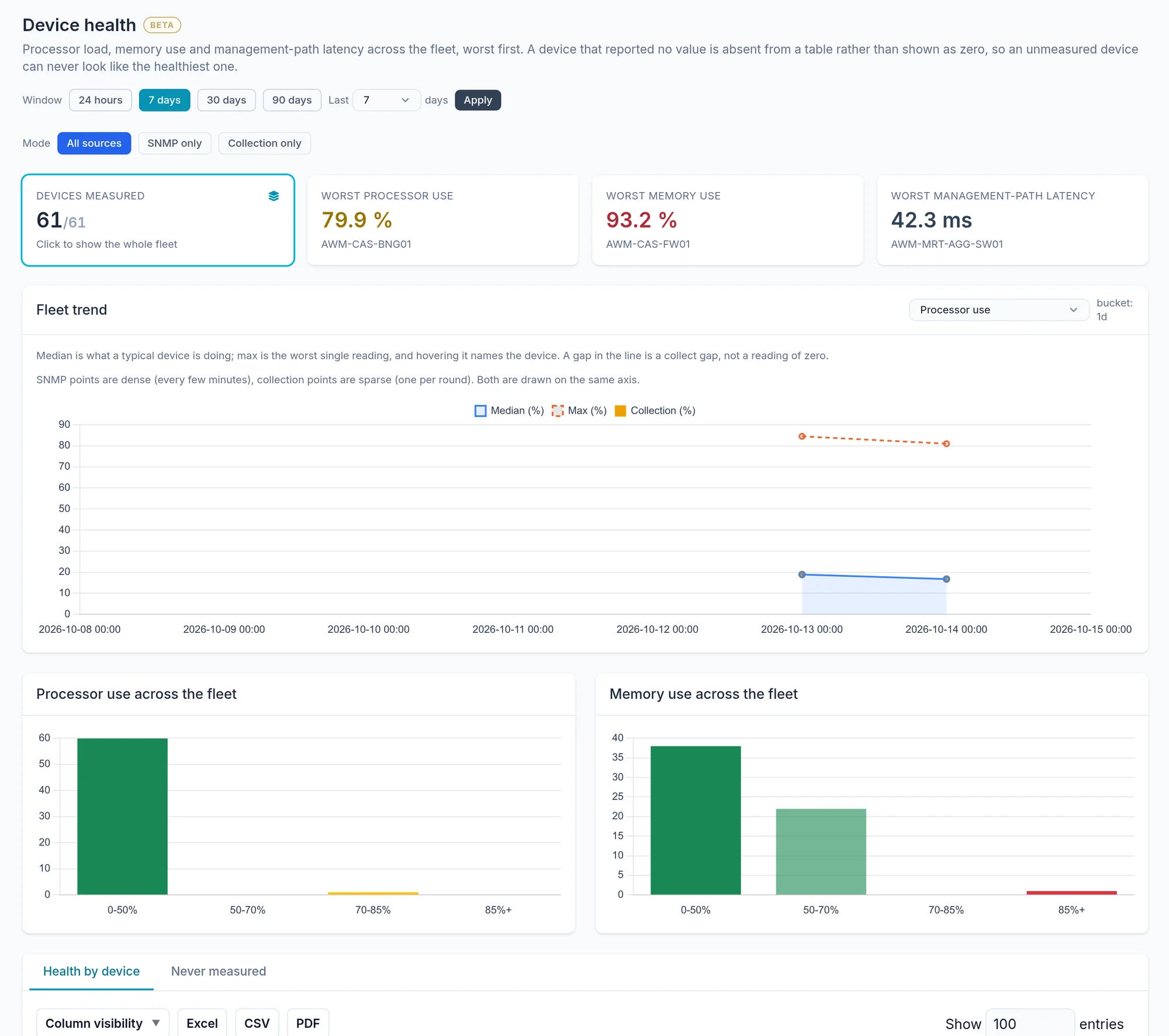
Read a device's health
Open Device health, set the window, then the Health by device tab; the Proof button shows the raw measurement.
Limits and things to know
Health and Licences do not appear
These two entries only show once hardware modules have been collected.
More than 10,000 ports
The full export stops at 10,000 rows: filter by device.
Read next
Devices
The list of managed and discovered devices, its filters, exports and actions, then a device's own page and its tabs.
How-to guideHow to list the free ports on a switch, and across the fleet
List the free ports of one switch or the whole fleet: port status from every collection, a Capacity report per device, and the vendor commands.
How-to guideHow to see which ports are configured for 802.1X
Read 802.1X back off the switches themselves: which access ports actually carry it, in which mode, and where MAB is the fallback.