
Devices
Everything starts here: each collected device, its collection state, and a page that gathers what is known about it.
At a glance
- WhereInventory, then Devices.
- AccessInventory read access; adding, collecting and deleting need their own permissions.
- DataThe declared devices; the page's tabs follow what collection brought back.
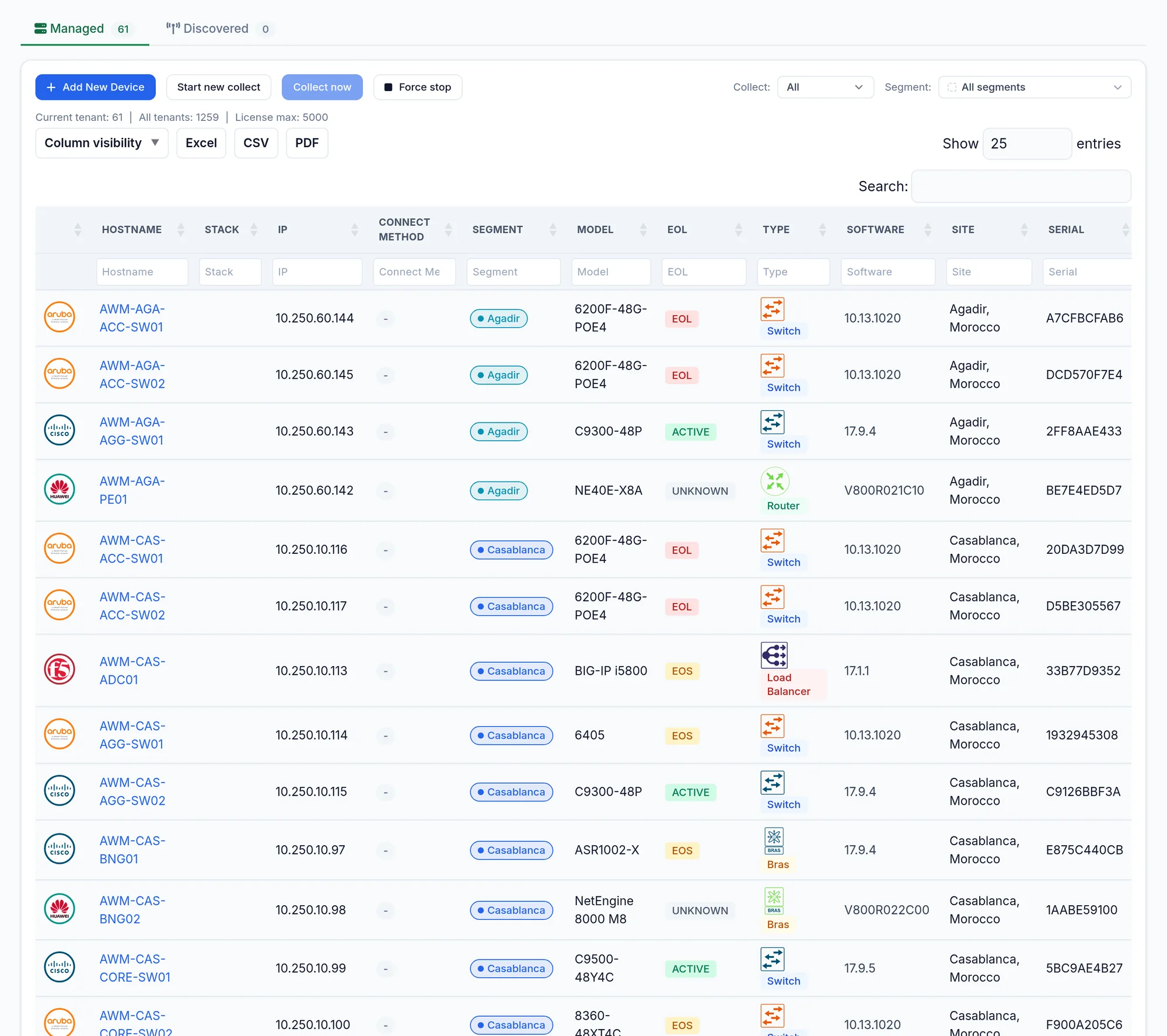
What the screen shows
What you can do
- 1
Collect
One row: the collect icon then Start Collection. Several: Start new collect, tick, Collect now. Force stop interrupts.
- 2
Edit or delete
From the row: Edit opens the form, Delete appears when hovering the row and asks for confirmation.
- 3
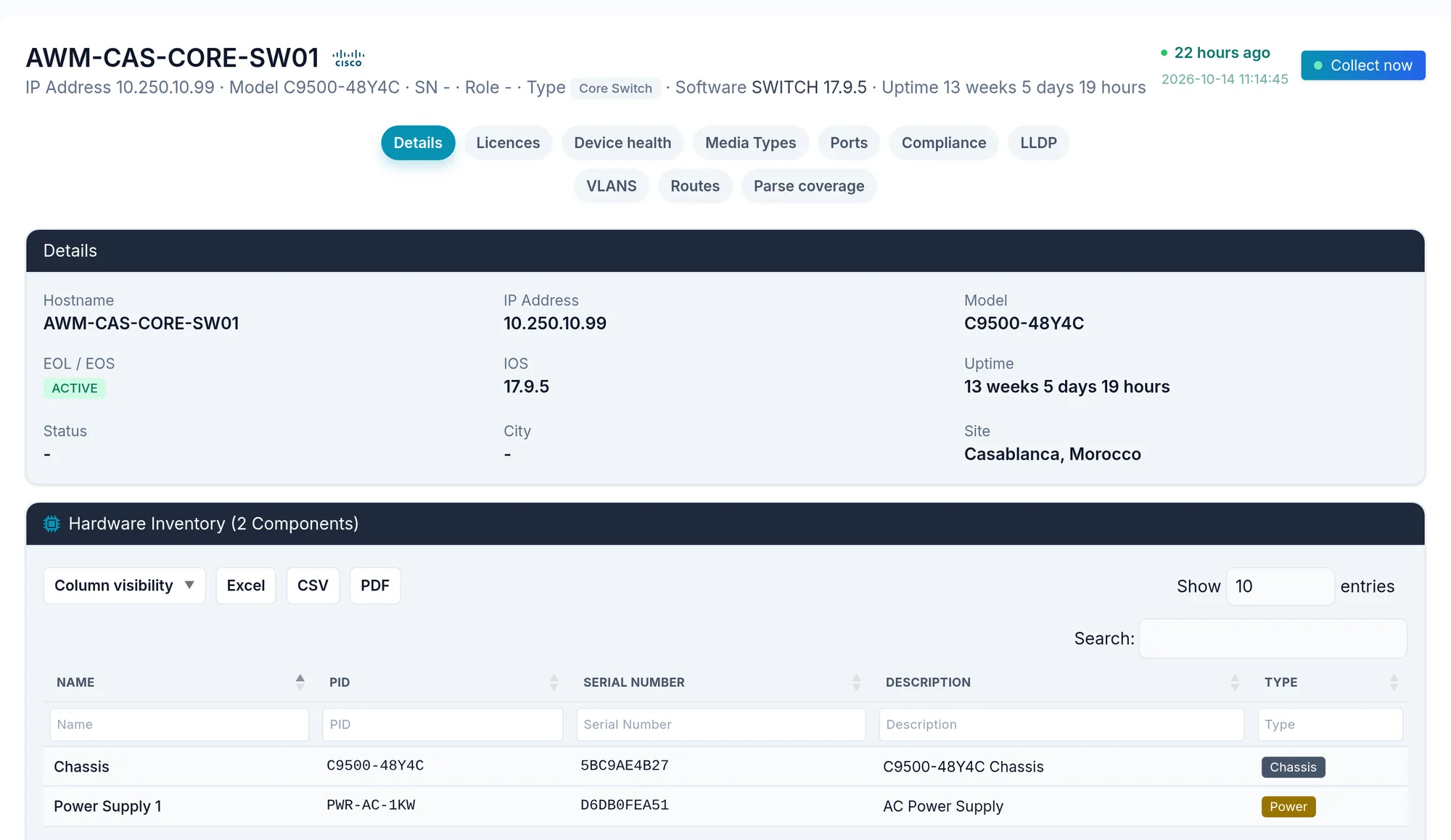
Open the device page
Click the name. The header gives IP, model, role, software, uptime and collection state, with a collect button. Tabs only appear when the data exists: Details, Licences, Health, Ports, Compliance, CDP, LLDP, BGP, ISIS, VPLS, VLANs, Routes, QoS, and the tabs specific to F5, FortiGate or Wi Fi controllers.
Changes (N) appears when the configuration changed; Parse coverage says what was read.
- 4
See the proof
The Proof button, on CDP, LLDP, BGP, ISIS and Routes rows, shows the raw command output the row comes from.
Limits and things to know
No editing from the device page
Edit and Delete are only on the list row.
Add New Device is greyed out
Licence at its maximum, or licence server unreachable. The message says which.
Read next
Devices
Declare a device by its IP address and credential, test the login, or let discovery find the neighbours starting from one device.
ManualPorts, health and licences
The table of every interface, device hardware state and load, their licences, and SNMP supervision when licensed.
How-to guideHow to record the serial number and version of every network device
Serial number and software version of every network device in one exportable table, plus stack members and modules, and the Cisco commands by hand.
How-to guideHow to find the network devices nobody declared
Find undeclared network devices: CDP and LLDP neighbours missing from the inventory, a crawl from seeds or subnets, and what announces nothing.