
Store credentials in the password vault
One entry per set of accounts, typed once, reused by every device that shares it.
Before you start
- A collection accountRead access on the devices. On Cisco, the enable password lets collection read the configuration when the account is not privileged.
- PermissionsA role that manages devices, such as the administrator.
The steps
- 1
Open the vault
Click the administration cog, then Password Vault.
Administration, then Password Vault
- 2
Add a credential
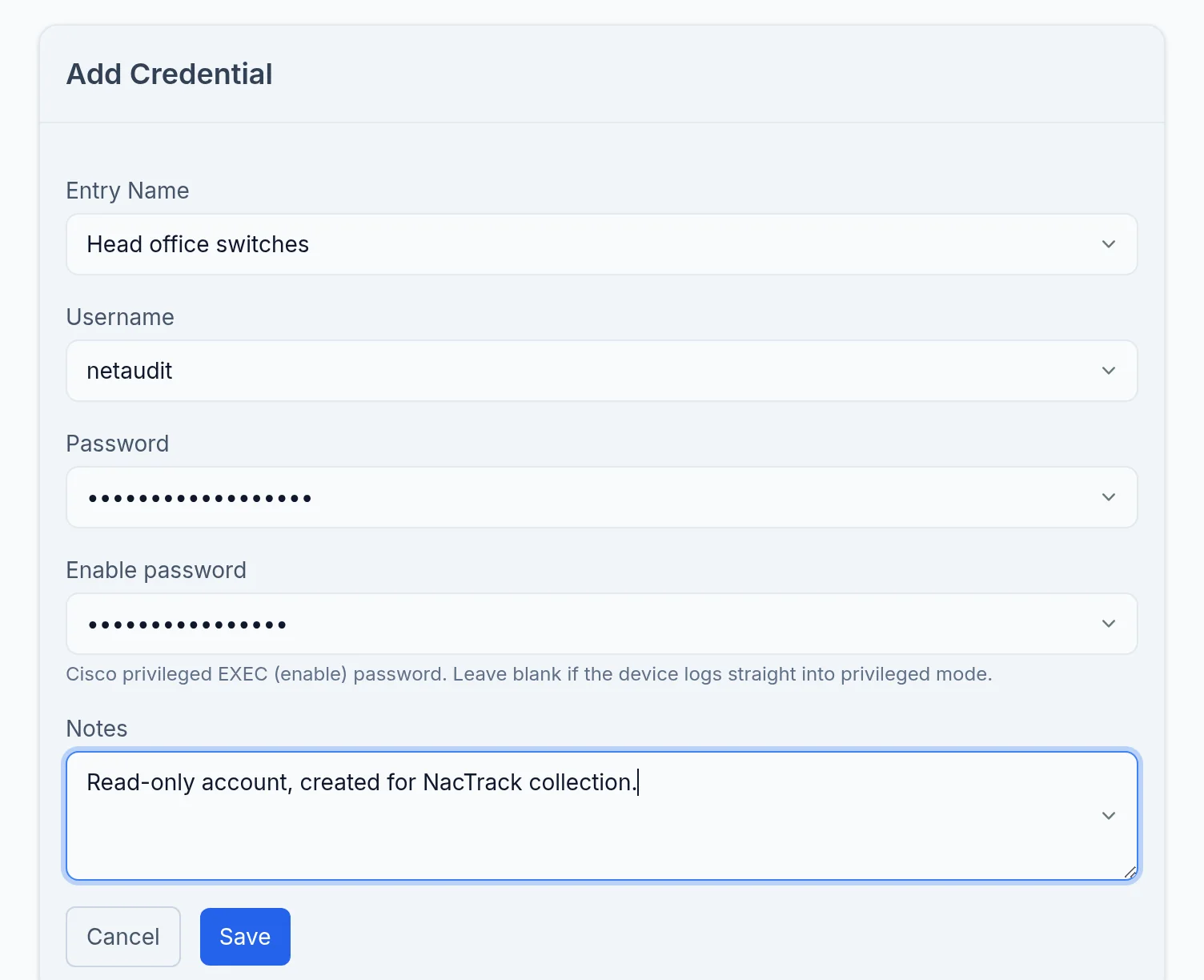
Click Add Credential. Give it a meaningful Entry Name, such as the site or device family: that is the name you will pick on each device later.
- 3
Enter the account
Fill in Username and Password, and Enable password if your Cisco devices ask for one. Notes is free text.
The vault holds password accounts; SSH key login is not offered.
- 4
Save
Click Save. Repeat for each different set of accounts on your estate.
What you should see
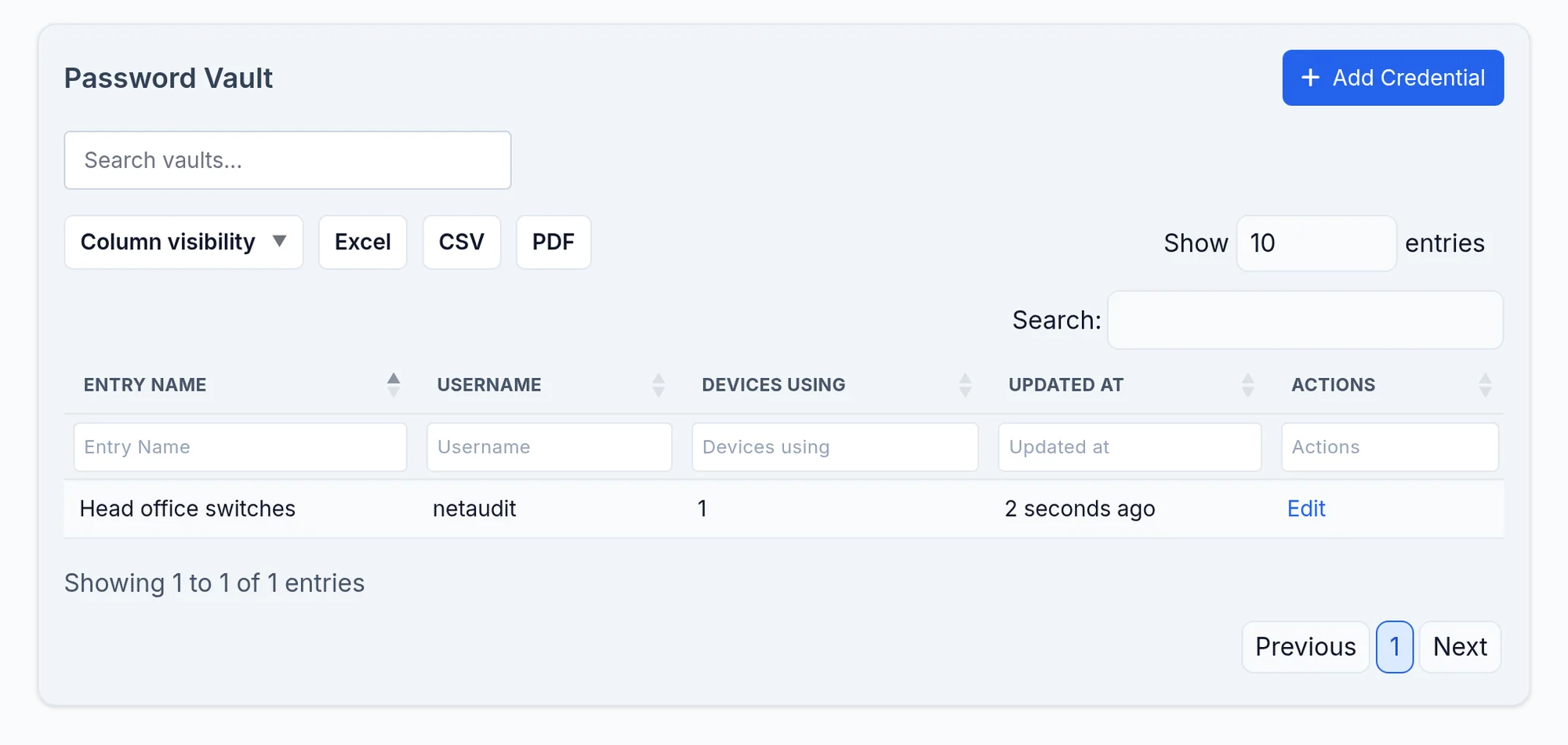
The entry appears in the vault list, under its name. The password is never shown again.
The entry belongs to the tenant you created it in. With several tenants, create it in the right one.
If it does not work
The name is refused
The Entry Name must be unique, regardless of case.
I cannot see Password Vault
Your role lacks the permission to manage devices, or the inventory module is not in the licence. Ask an administrator.
I do not know if the account works
You will find out in the next step: the Check Credentials button tests the login on a real device before saving.