
L2 Services
The layer 2 services carried over your network, read from device configuration and state.
At a glance
- WhereL2 Services menu.
- AccessL2VPN module; Spanning-Tree needs the STP module.
- DataCollected xconnects, VPLS or bridge domains.
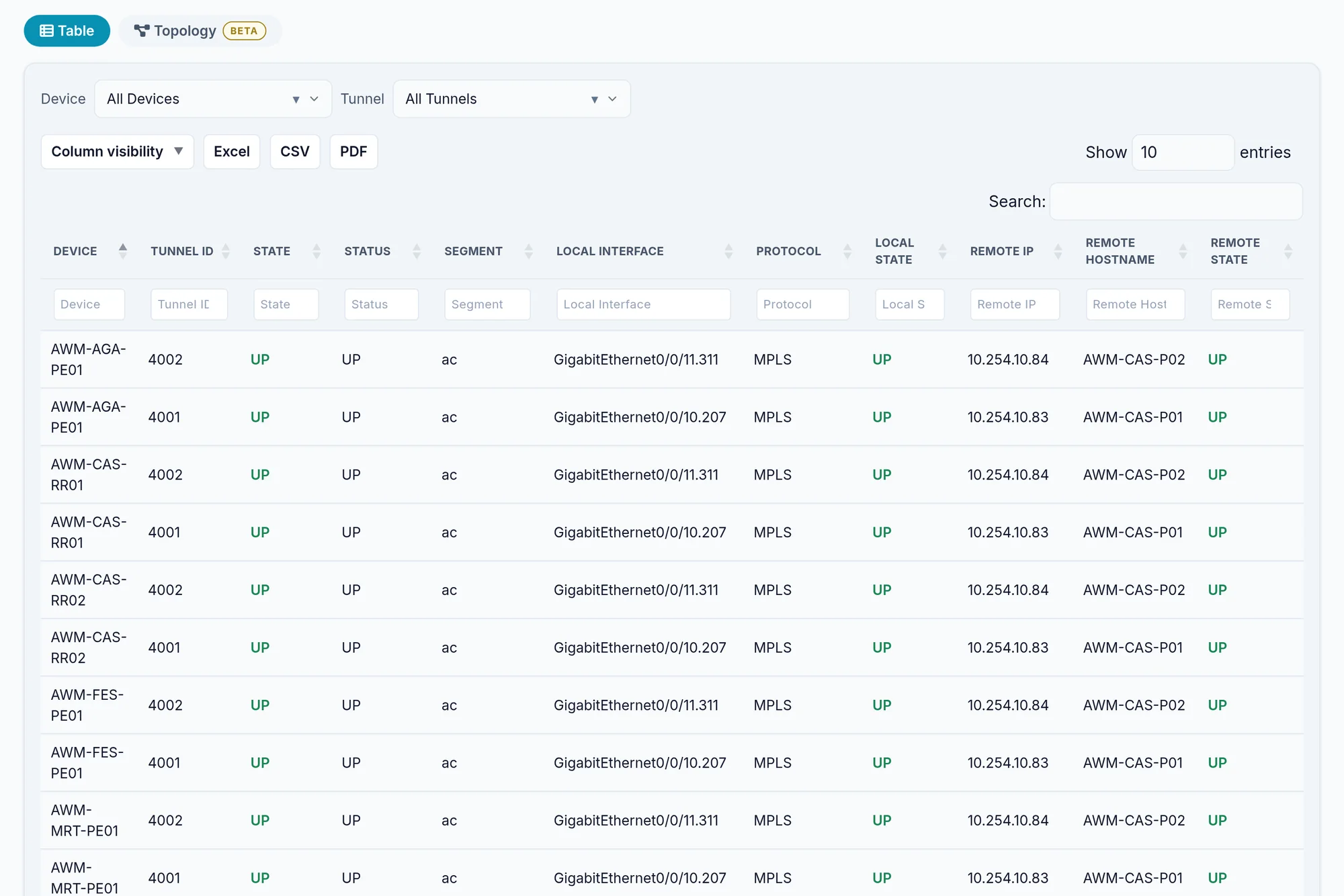
What the screen shows
What you can do
- 1
Find a circuit
Point to Point or VPLS List, then the per column search on an end, a VC ID or a description.
- 2
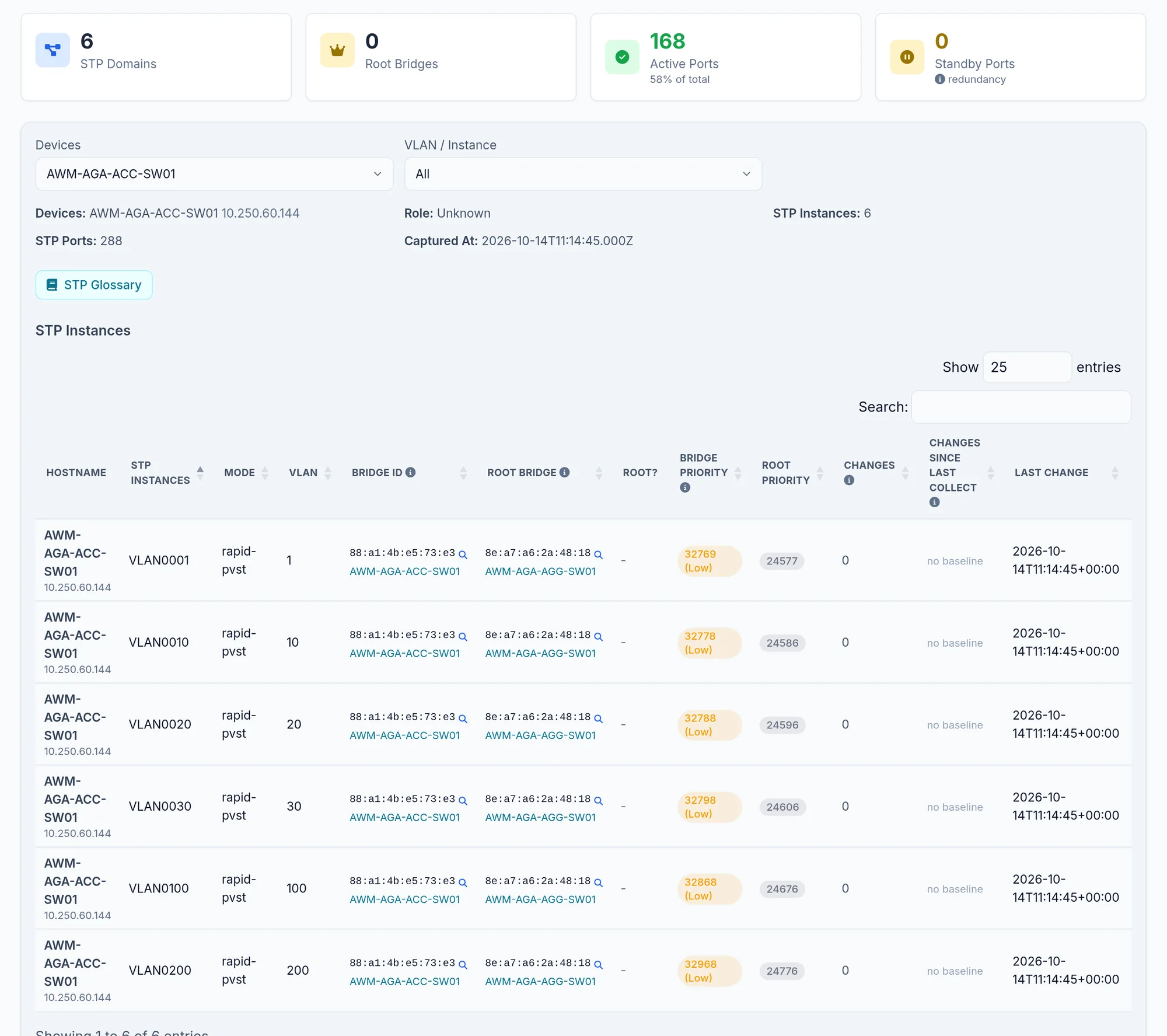
Read spanning tree
Spanning-Tree: pick the device and instance to see the root and each port's state.
Limits and things to know
Spanning-Tree is not in the menu
In this version its entry only shows when the tenant has VPLS data. Otherwise open /spanning-tree directly.
Read next
Topology
Draw the network as the devices describe it: L2, spanning tree, routing, VPN and transport layers, filters, saved views and exports.
How-to guideHow to find which ports spanning tree is blocking
A blocking port is spanning tree doing its job. What matters is whether the ports it chose to block are the ones your design intended.
How-to guideHow to find which switch is root bridge for each VLAN
If the root bridge is not where you designed it, traffic takes a path you did not choose. Read the root for every switch and every VLAN.