
Schedule collections
A schedule runs collection again at a fixed interval, on the whole estate or part of it.
Before you start
- A first successful collectionTo know how long your estate takes.
- The time in UTCThe start time is entered in universal time. Convert your local time.
The steps
- 1
Open the schedules
Administration cog, then Collect Schedules, then New Collect Schedule.
Administration, then Collect Schedules

- 2
Name it and choose the tenants
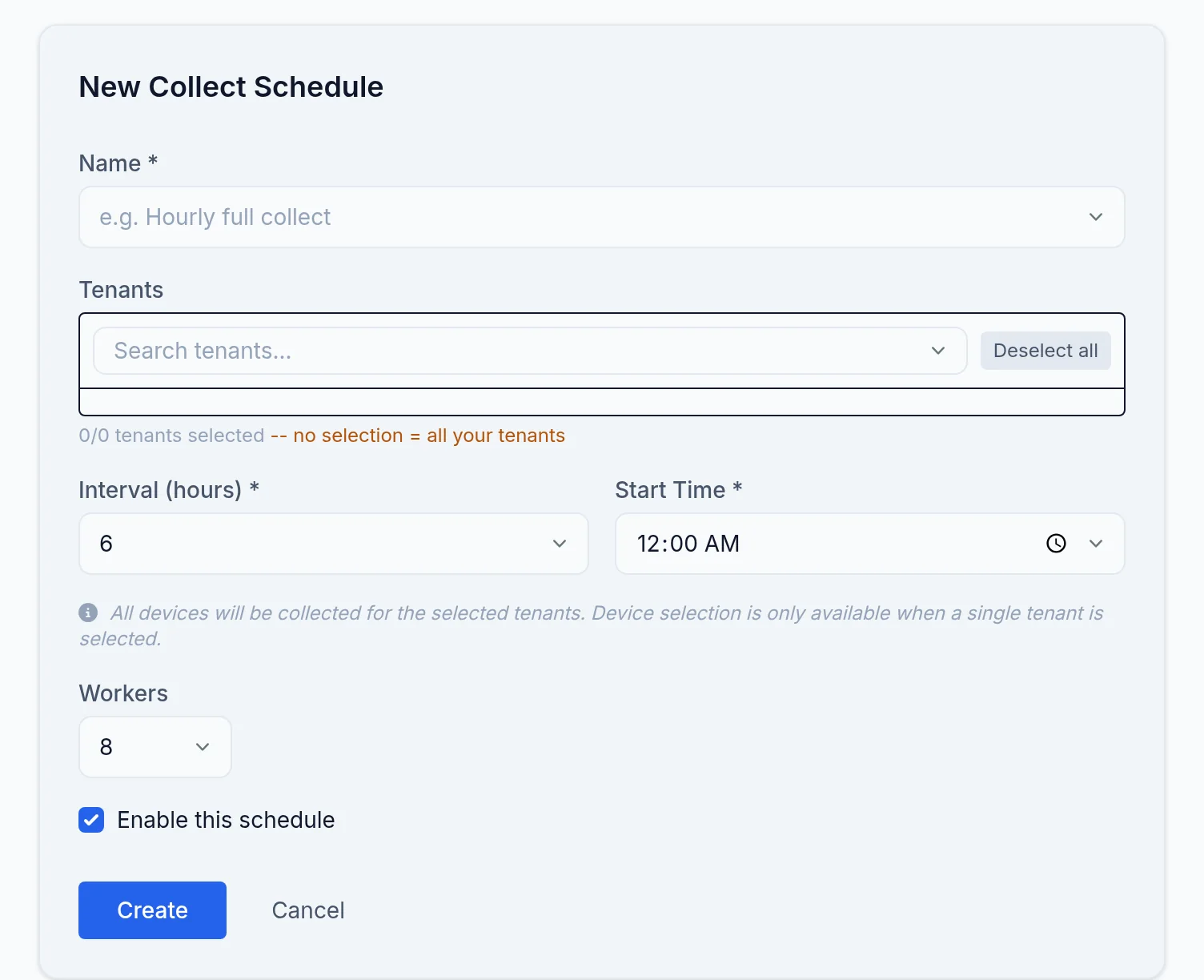
Give it a Name. Under Tenants, no selection means all your tenants.
- 3
Set the frequency
Interval, in hours, and Start Time, in UTC. One collection a day outside working hours is a good start; the minimum is thirty minutes and the screen warns below one hour.
- 4
Choose the scope
Scope: All devices, a selection of devices, or segments. Workers sets how many devices are collected at the same time; lower it on sensitive equipment.
- 5
Enable
Tick Enable this schedule, then save.
What you should see
The schedule appears in the list with its next run. After it runs, the last run is shown and the devices carry the date of their new collection.
If it does not work
The collection does not start at the expected time
The Start Time is in UTC, not local time. Also check that the schedule is enabled.
Collections overlap
The interval is shorter than a collection of your estate takes. Lengthen it, or raise Workers if your devices can take it.